

The Automated Executive Assistant: Syncing Email, Calendar, and CRM with n8n and OpenAI for CEO Productivity
Stop managing your inbox and start leading; build an AI-powered executive assistant that handles the busy work.
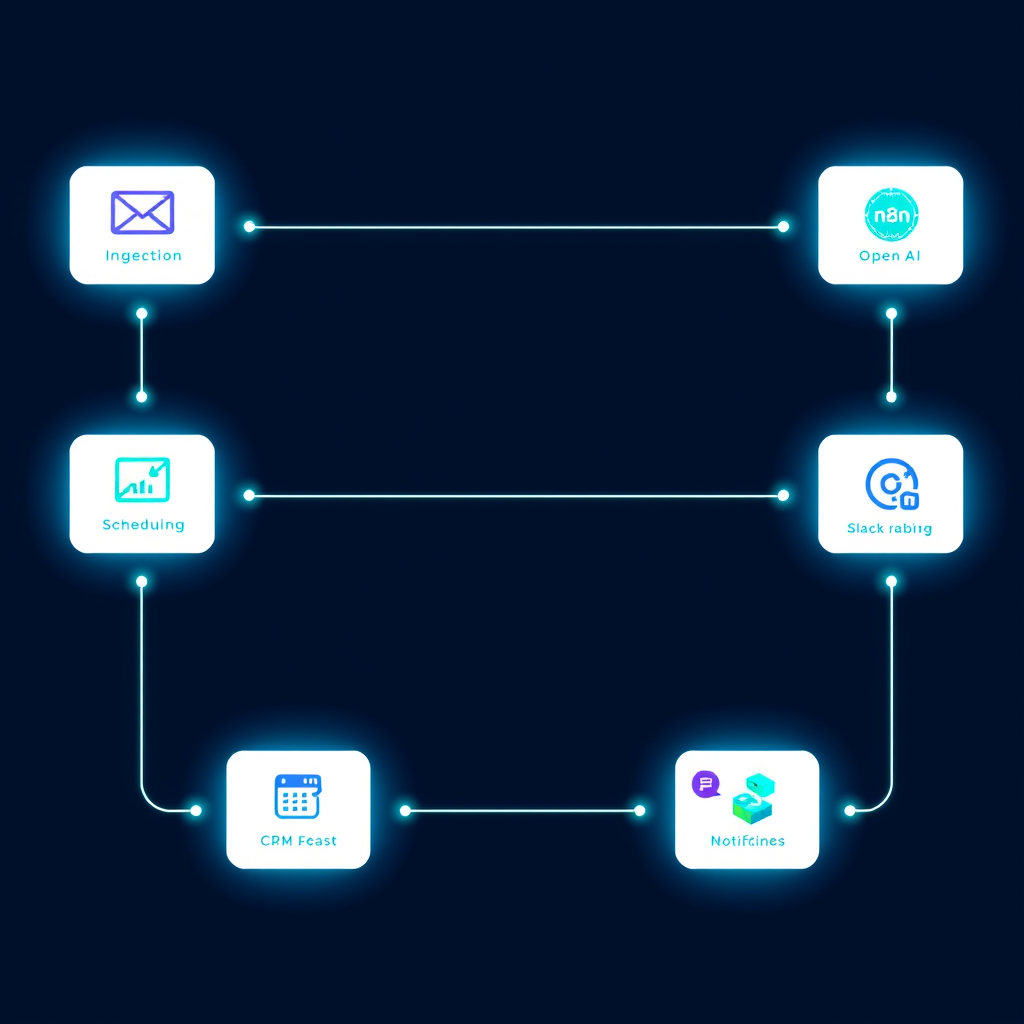
The Reality of Executive Bottlenecks
As a CEO, your most valuable asset is your time. Yet, most executives spend upwards of 60% of their day on "administrative friction": triaging emails, updating CRM records, and manually syncing calendar events. At Deepak Automation, we believe that if a task is repetitive, it shouldn't be done by a human. Implementing an n8n and OpenAI automated executive workflow for CEO productivity is no longer a luxury—it is a competitive necessity.
In this guide, we will break down how to architect a robust, agentic system that acts as a digital Chief of Staff, connecting your disparate tools into a single, intelligent engine.
The Architecture: How We Build the Digital Chief of Staff
To build a truly effective automated assistant, you need to move beyond simple "if-this-then-that" triggers. You need a stateful, intelligent layer. We use n8n as the orchestration engine because of its self-hosted flexibility and native support for complex JSON data manipulation.
1. The Ingestion Layer (Email & Calendar)
We start by hooking into the Gmail or Outlook API. Instead of just forwarding emails, we use an n8n node to filter incoming messages based on priority. We then pass the body of the email to an OpenAI model (GPT-4o) using a specific system prompt: "You are an executive assistant. Summarize this email, extract action items, and determine if it requires a calendar invite or a CRM update."
2. The Intelligence Layer (LangChain & OpenAI)
This is where the magic happens. By utilizing LangChain within n8n, we can give the AI "tools." If the email is a meeting request, the AI doesn't just summarize it; it checks the CEO's Google Calendar for availability. If the email is a lead inquiry, it queries the HubSpot API to see if the contact exists. If not, it creates the record.
3. The Action Layer (HubSpot, Slack, & Airtable)
Once the AI has processed the intent, the workflow executes the necessary actions:
- HubSpot: Updates the deal stage or adds a note to the contact timeline.
- Slack: Sends a concise, formatted summary to the CEO’s private channel with buttons for "Approve," "Reply," or "Ignore."
- Airtable: Logs the interaction for long-term analytics on communication patterns.
Case Study: Scaling Executive Bandwidth
We recently worked with a SaaS CEO who was drowning in 200+ emails a day. By implementing an n8n and OpenAI automated executive workflow for CEO productivity, we achieved the following results:
- Time Saved: 12 hours per week of manual administrative work.
- CRM Accuracy: 100% of lead inquiries were automatically logged in HubSpot, eliminating "lost" leads.
- Response Latency: Reduced from 4 hours to under 15 minutes for high-priority client requests.
We didn't just automate the email; we built a system that understands the context of the business. By leveraging our automation services, we ensured that the AI could distinguish between a generic newsletter and a high-value partnership request, routing the latter directly to the CEO's Slack with a pre-drafted response.
Why n8n Over Traditional iPaaS?
Many of our clients come to us after hitting the limitations of Zapier or Make. When you are dealing with sensitive executive data, you need control. n8n allows us to:
- Self-host: Keep data within your own infrastructure, ensuring compliance.
- Complex Logic: Use JavaScript/TypeScript nodes to handle edge cases that no-code platforms struggle with.
- Cost Efficiency: Scale your workflows without the linear cost increases associated with per-task pricing models.
Implementation Roadmap
If you are ready to reclaim your time, follow this phased approach:
Phase 1: Audit and Mapping
Identify the top three tasks that consume your time. Is it scheduling? CRM data entry? Email triage? Map the data flow from source to destination.
Phase 2: The MVP Workflow
Start with a simple email-to-Slack notification system. Use OpenAI to categorize the email sentiment. Don't try to automate the response yet—just automate the awareness.
Phase 3: Agentic Integration
Once the notification system is stable, introduce the "Action" layer. Connect your calendar and CRM APIs. This is where you move from a notification system to a true executive assistant.
The Future of Executive Productivity
The goal of automation isn't to replace the CEO; it's to remove the friction that prevents you from doing the work only you can do. By building an n8n and OpenAI automated executive workflow for CEO productivity, you are essentially buying back your most precious resource.
At Deepak Automation, we specialize in building these high-leverage systems for B2B leaders. We don't just build workflows; we build infrastructure that scales with your company.
Ready to see what an automated executive assistant could do for your daily operations? Book a free automation audit with our engineering team today, and let's map out your path to total operational efficiency.